A little remote for your speakers, right on your Mac.
Playstate puts HomePod and Sonos playback and volume controls in your Mac’s menu bar, even when music started on your iPhone or with Siri.
About Playstate
Pause, skip, or adjust the volume while you work. Playstate connects to HomePod over your local network, so you don’t need to have Music playing on your Mac when the speaker is playing on its own.
It’s a native Mac app with optional desktop artwork and a local list of recently played songs. It also works with Music.app, Spotify, VOX, Doppler, and VLC; Qobuz support is experimental. See the music apps guide for permissions and available controls. You’ll still use your music apps to browse and start playback. Playstate doesn’t route all Mac audio to your speakers.
Requirements
macOS 15 or later, on Apple silicon or Intel. Network speakers must be on the same local network as the Mac. Support varies by speaker software and playback source; see the tested setups.
Trial and pricing
Playstate is free to try for 1 day, with no card required. The 1-day trial starts the first time Playstate connects to your HomePod or Sonos speaker or you use a playback or volume control, not when you download or install it. After the trial, Playstate still shows what’s playing, including artwork and recently played songs. Playback controls, speaker volume, keyboard shortcuts, and widget customization need a one-time license. There are no unsolicited reminders.
A personal license is US$7, paid once. The optional US$25 supporter license includes the same features. See the license terms for update and refund details.
Product images

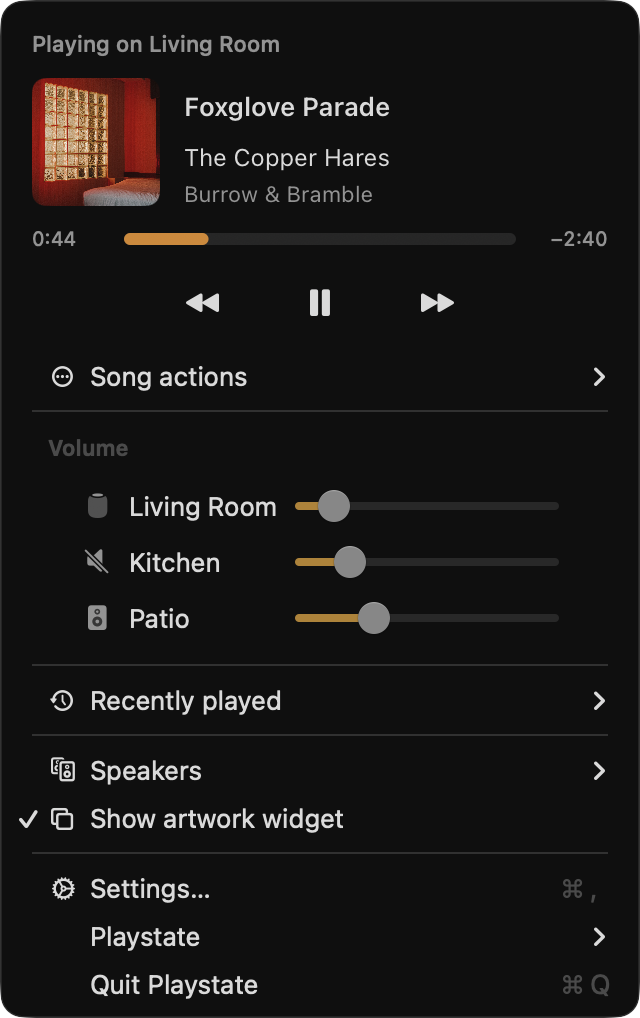
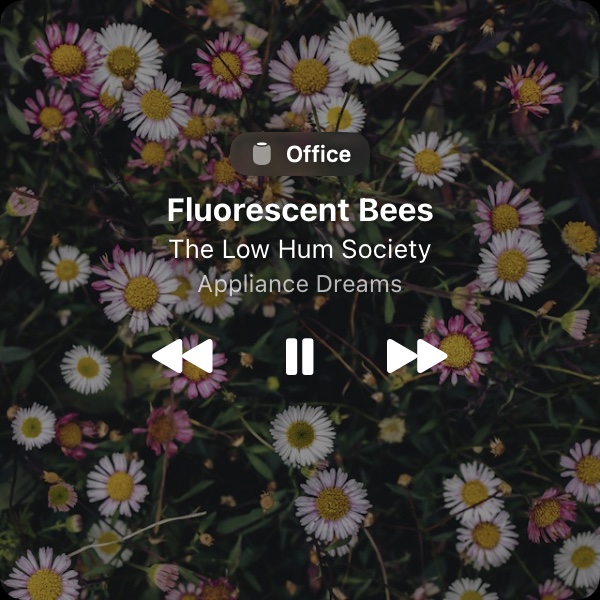
These images show the interface; they aren’t recordings of a live speaker test.
Contact
For review enquiries, contact Félix at support@playstateapp.com.