Choose your playback sources
Pick the apps and speakers you want Playstate to follow, put them in order, and check permissions.
Pause, skip, or turn down the music from your menu bar, even if you started it on your iPhone or asked Siri to play it.
Free for 1 day. No card required. Then US$7, paid once.
Requires macOS 15 or later. Works on Apple silicon and Intel Macs. Developer ID signed and notarized by Apple.
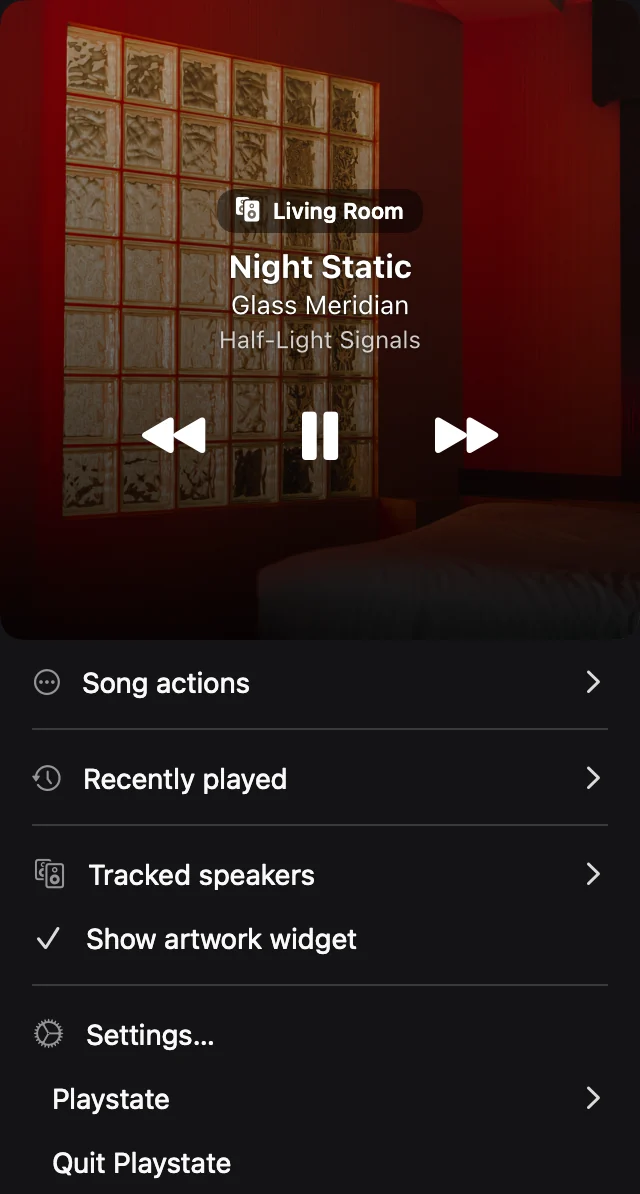
See what’s playing, skip a song, or turn down a speaker without leaving what you’re doing.
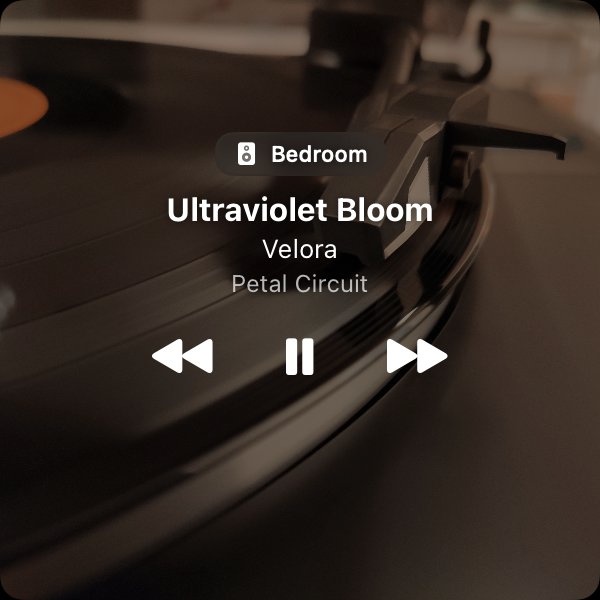
See what’s playing. Get the album artwork, song title, and room name at a glance.
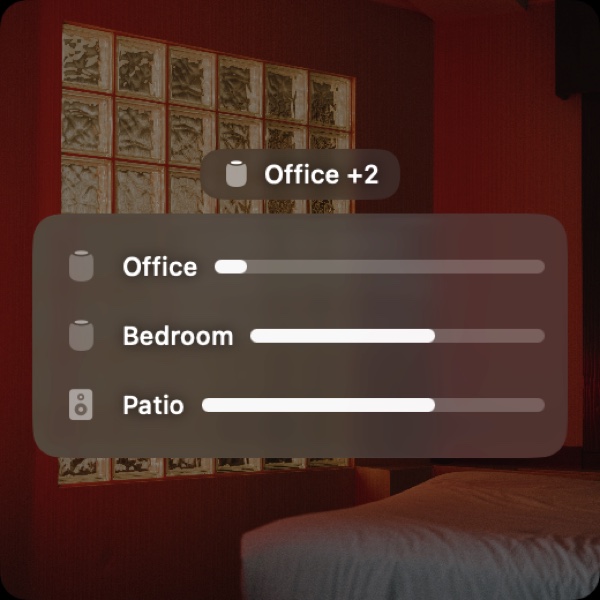
Set the volume in each room. Adjust the speakers playing the current song right below the artwork.
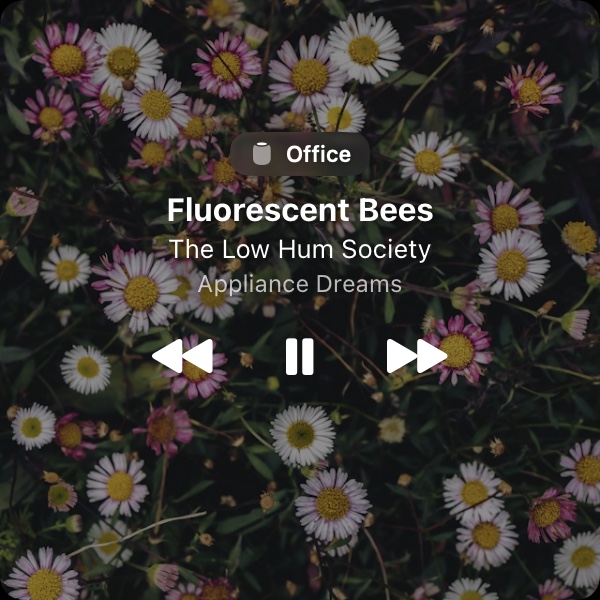
Put the artwork on your desktop. Keep a small cover on your desktop, or turn the widget off and use the menu bar.
Songs, artists, and speaker names in these screenshots are examples.
Play something on your iPhone, ask Siri, or use the Home app. Playstate follows what your supported speaker is playing.
Control your HomePod directly. Playstate connects to your HomePod over your home network. If the volume control disappears from Music, Playstate gives you another way to adjust a supported HomePod from your Mac. Music can stay closed when the speaker is playing on its own.
Learn about HomePod controlsUse it with Sonos, too. Pause, skip, and adjust the volume on supported Sonos speakers from the same menu. You’ll still use the Sonos app to browse your library and set up your system.
Learn about Sonos controlsFollow music playing on your Mac. Playstate also works with Music.app, Spotify, VOX, Doppler, and VLC. You’ll see what’s playing and get the controls each app supports. Qobuz support is experimental.
See supported apps and setupChoose what comes first. Have more than one thing playing? Drag your apps and speaker groups into your preferred order in Settings → Sources. Playstate shows the highest enabled source on your list that’s playing. If a source needs permission or a retry, its status will let you know.
Learn about sources and priorityMake your own keyboard shortcuts. Set shortcuts for playback, source volume, mute, and showing or hiding the widget. Where supported, volume changes in 5-percentage-point steps.
See keyboard shortcutsFind that song again. Recently Played keeps the last 50 different songs Playstate has seen on your Mac. Copy the details or look a song up in Apple Music.
Try a different look. Preview widget themes, sizes, and the Minimal, Compact, and Information presets. Your widget stays as it is until you click Apply.
No account needed. Open Playstate, choose your sources, and play something. Your listening history stays on your Mac, and you can clear it whenever you like.
Made for Mac. Playstate runs on macOS 15 or later, on Apple silicon and Intel. VOX and Doppler can also provide their embedded artwork directly.
These are the setups we’ve tried ourselves. Don’t see yours? The free 1-day trial gives you time to check it with your own speakers and music.
Playstate found the pair on the network, showed the current song, and adjusted the volume of both speakers together.
Playstate found the speaker, showed the current song for radio and Apple Music, and could pause and resume playback.
These are the Macs we use to develop Playstate.
Playstate showed the song and controlled the HomePod while Music was closed on the Mac.
These guides can help you get set up, choose what Playstate follows, and find your way back to a song.
Pick the apps and speakers you want Playstate to follow, put them in order, and check permissions.
Choose your own keys for playback, volume, mute, and the widget. Includes default shortcuts and help with conflicts.
Find setup steps and control details for Music, Spotify, VOX, Doppler, VLC, and experimental Qobuz support.
Check your network, permissions, and speaker settings, one step at a time.
See where Music, Replay, and Playstate each keep track of what you’ve played.
Find out which device is playing the music and where to control it.
Here are a few ways to control music that’s already playing on your speaker.
See what you can do from Playstate’s menu bar and what still needs your music apps.
Get every feature on the Macs you own or control. There’s no subscription and no account to create.
Try Playstate free for 1 day with your speakers or Mac music apps. The 1-day trial starts the first time Playstate connects to your HomePod or Sonos speaker or you use a playback or volume control, not when you download or install it.
After the trial, Playstate still shows what’s playing, including artwork and recently played songs. Playback controls, speaker volume, keyboard shortcuts, and widget customization need a one-time license. There are no unsolicited reminders.
Want to give a little extra? The US$25 supporter license helps support development and includes the same features.
Need a hand? Get in touch.
Not if your HomePod is already playing music you started on your iPhone, with Siri, or in the Home app. Playstate connects to the HomePod directly over your local network. If Music on your Mac is sending the audio, keep Music open. Closing it can stop playback.
You’ll still need your usual music app to browse, start playing music, and manage your services. Playstate gives you quick controls for what’s playing. It doesn’t send all your Mac’s audio to your speakers or create synchronized HomePod and Sonos groups.
Playstate works with Music.app, Spotify, VOX, Doppler, and VLC using macOS Automation permission. Qobuz support is experimental, and its playback controls need Accessibility access. Other music apps can also integrate through the now-playing API. See the supported music apps guide for setup details and control limits.
Go to Settings → Sources and drag your apps and speaker groups into your preferred order. Playstate shows the highest enabled source on the list that’s playing. You can turn off sources you don’t want Playstate to follow. Your order and room selections are saved, even when a room is temporarily offline.
Yes. Go to Settings → Widget to try different themes, sizes, layouts, and presets. Your current widget won’t change until you click Apply to Widget. Applying customizations is subject to the trial and license rules.
Yes. In Settings → Keyboard, you can set shortcuts for playback, source volume, mute, and the widget. Where supported, volume shortcuts change the source volume in 5-percentage-point steps. The keyboard shortcuts guide has the defaults and setup instructions.
Your audio doesn’t pass through Playstate’s servers. If you use optional artwork matching, Playstate may send search terms to Apple and Deezer. License checks also use network requests. See the privacy policy for details.
Playstate requires macOS 15 or later on an Apple silicon or Intel Mac. Your HomePod or Sonos speakers need to be on the same local network as your Mac. Controls can vary depending on the speaker and music source. Try Playstate with your usual setup before buying.
Recently Played keeps the last 50 different songs Playstate has seen on your Mac. You can copy a song’s details, find it in Apple Music, or clear the list from the menu bar. The local list doesn’t require an account.
You get every feature free for 1 day, with no card required. The 1-day trial starts the first time Playstate connects to your HomePod or Sonos speaker or you use a playback or volume control, not when you download or install it. After the trial, Playstate still shows what’s playing, including artwork and recently played songs. Playback controls, speaker volume, keyboard shortcuts, and widget customization need a one-time license. There are no unsolicited reminders.
A personal license covers the Macs you own or control. It includes compatibility and maintenance updates for the current product. A future major upgrade may cost extra. The optional US$25 supporter license has the same features.
See how Playstate works with the music and speakers you already use. Free for 1 day, then US$7, paid once.