Looking for Sonos for Mac?
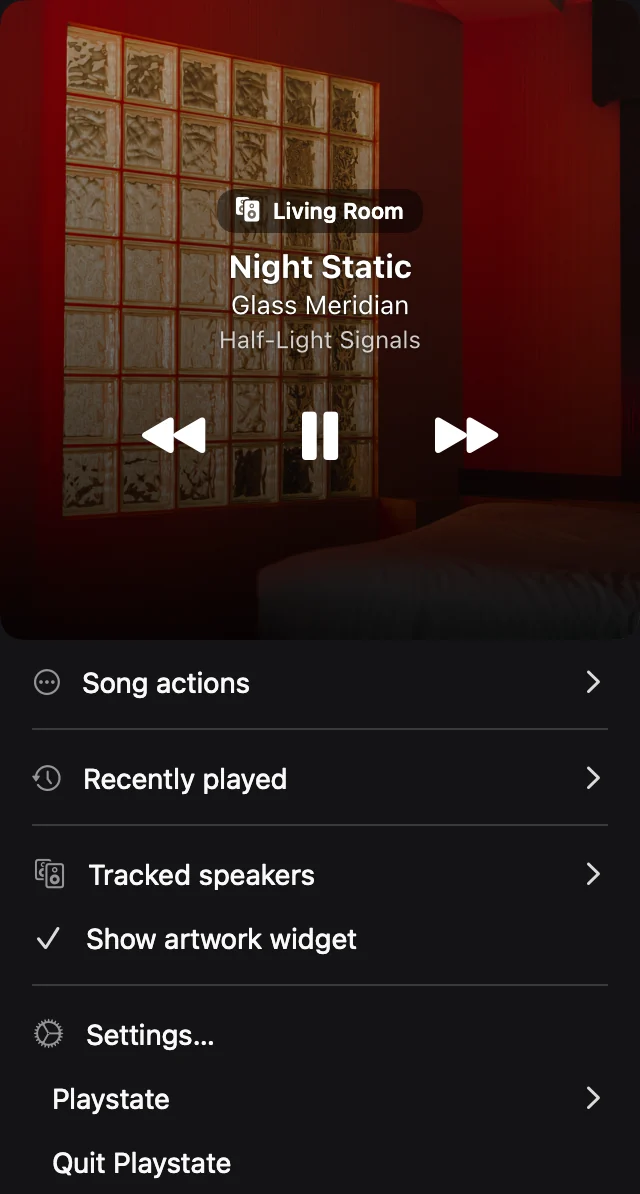
Playstate is an independent Mac app for quick Sonos playback controls. It is not the official Sonos app and is not affiliated with Sonos. Use it when you want a small menu-bar remote while working, rather than a full library or system-management window.
Download and try the Mac controller
Download Playstate using the free-trial link below. It runs on macOS 15 or later on Apple silicon and Intel Macs. Allow local-network access, select your supported Sonos player, and confirm it responds before purchasing. No account or card is required for the trial.
Sonos controls, without another window.
Choose a supported Sonos player, check what is playing, and pause, skip, or change speaker volume from the menu bar. Keep your attention on the task in front of you.
Keep the Sonos app for the rest
Playstate is a focused companion, not a replacement for the Sonos app’s library browsing, service setup, or system management. Available playback controls depend on the source and player.
HomePod and Sonos in one interface
If you own both, use the same familiar interface to follow supported sources. This does not create synchronized playback or shared queues across the two brands.
Check your rooms before buying
Use macOS 15 or later, connect your Mac and speakers to the same local network, and allow local-network access. Test your usual players and sources during the free trial. Your audio does not pass through Playstate’s servers.
Try it on your Mac
The full app is free for 1 day, starting when it first connects to a speaker or you use a playback or volume control. No card is required. A personal license is US$7, paid once.
Try free for 1 day