Can I use it with HomePod mini?
HomePod mini owners should test discovery, track information, and controls with their own speaker during the 1-day free trial. The tested setups on the download page list only what has actually been checked, so the HomePod name alone is not a guarantee of support for every model, firmware version, or playback source.
Your HomePod. In your Mac’s menu bar.
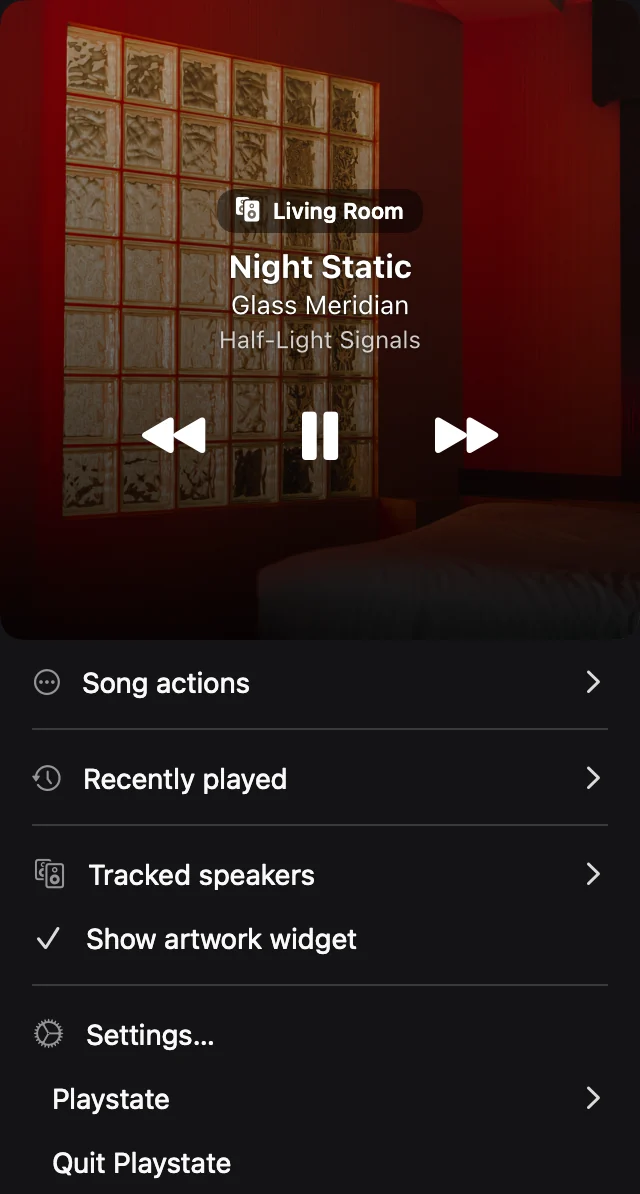
When music is already playing on a supported HomePod, Playstate connects to the speaker on your local network. See the selected speaker and current song, then make a quick adjustment while you work.
When the speaker is the player
Playback started on HomePod can continue independently of Music.app on your Mac. Playstate follows supported speaker playback directly. If Music.app is the source of your music, it still needs to stay open to play it.
Try your own setup
You need macOS 15 or later and a supported HomePod on the same local network. Allow local-network access, select the intended speaker, and test pause, skip, and volume. Support can vary by speaker software and playback source.
A remote, not an audio router
Your audio does not pass through Playstate’s servers. Playstate does not turn your Mac into a universal audio router or add synchronized HomePod and Sonos groups.
Try it on your Mac
The full app is free for 1 day, starting when it first connects to a speaker or you use a playback or volume control. No card is required. A personal license is US$7, paid once.
Try free for 1 dayRelated guides
- Control HomePod from Mac without opening Music
- Adjust HomePod volume from your Mac
- HomePod not showing on your Mac? Start here
- Sonos controller for Mac — menu-bar app
- HomePod AirPlay vs direct playback: a Mac guide
- Can’t control HomePod from your Mac? Start here
- Control HomePod and Sonos from one Mac
- Playstate vs Apple Home on Mac